How to Generate AI Videos with an API: Step-by-Step Tutorial
TL;DR
To generate AI videos via API: (1) choose a model (Sora, Kling, Runway, or WAN), (2) authenticate with your Renderful API key, (3) send a POST request with your prompt and parameters, (4) poll the task endpoint or use webhooks until the video is ready. Renderful handles all GPU infrastructure. Code examples in Python, JavaScript, and cURL are provided. No ML expertise required.
Want to generate AI videos programmatically? This tutorial walks you through the entire process — from choosing a model to downloading the finished video. You'll learn how to use Renderful's REST API with code examples in Python, JavaScript, and cURL to generate videos using Sora, Kling, Runway, and other top models.
Prerequisites
Before you begin, make sure you have the following:
- A Renderful account and API key (sign up at renderful.ai/signup)
- Basic knowledge of HTTP requests (REST APIs)
- Python 3.7+ or Node.js 16+ (for the code examples)
- A way to make HTTP requests (cURL,
requestslibrary, orfetch)
Step 1: Choose Your Video Model
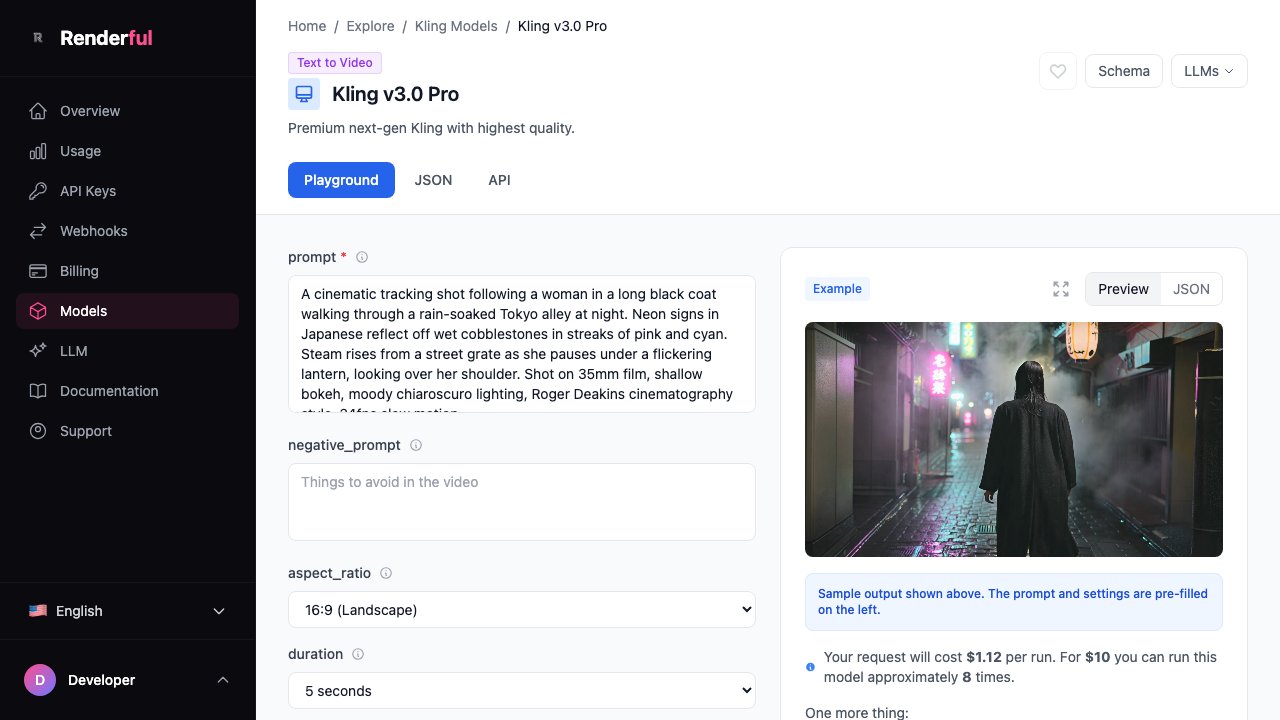
Renderful gives you access to multiple video generation models. Each has different strengths, speeds, and price points:
| Model | Speed | Quality | Price |
|---|---|---|---|
| Sora 2 | 2-5 min | Excellent | From $0.20 |
| Kling 1.6 | 30-90s | Very Good | From $0.10 |
| Runway Gen-3 | 1-3 min | Very Good | From $0.15 |
| Hailuo MiniMax | 1-2 min | Good | From $0.08 |
| Wan 2.1 | 30-60s | Good | From $0.05 |
Step 2: Set Up Authentication
All API requests require an API key passed in the Authorization header. After signing up, you can find your key in the Renderful dashboard.
Authorization: Bearer YOUR_API_KEY
Content-Type: application/json
Keep your API key secure. Never expose it in client-side code or public repositories. Use environment variables to store it safely.
Step 3: Send a Generation Request
Send a POST request to the generations endpoint with your model, prompt, and settings. Here are examples in three languages:
cURL:
curl -X POST https://api.renderful.ai/api/v1/generations \
  -H "Authorization: Bearer YOUR_API_KEY" \
  -H "Content-Type: application/json" \
  -d '{
    "model": "kling/v1.6-standard",
    "input": {
      "prompt": "A golden retriever running through a field of wildflowers at sunset",
      "aspect_ratio": "16:9",
      "duration": 5
    },
    "webhook": "https://your-app.com/webhook"
  }'
Python:
import requests

response = requests.post(
    "https://api.renderful.ai/api/v1/generations",
    headers={"Authorization": "Bearer YOUR_API_KEY"},
    json={
        "model": "kling/v1.6-standard",
        "input": {
            "prompt": "A golden retriever running through a field of wildflowers at sunset",
            "aspect_ratio": "16:9",
            "duration": 5
        },
        "webhook": "https://your-app.com/webhook"
    }
)

generation = response.json()
print(f"Generation ID: {generation['id']}")
print(f"Status: {generation['status']}")
JavaScript:
const response = await fetch("https://api.renderful.ai/api/v1/generations", {
  method: "POST",
  headers: {
    "Authorization": "Bearer YOUR_API_KEY",
    "Content-Type": "application/json",
  },
  body: JSON.stringify({
    model: "kling/v1.6-standard",
    input: {
      prompt: "A golden retriever running through a field of wildflowers at sunset",
      aspect_ratio: "16:9",
      duration: 5,
    },
    webhook: "https://your-app.com/webhook",
  }),
});

const generation = await response.json();
console.log("Generation ID:", generation.id);
console.log("Status:", generation.status);
Step 4: Poll for Results or Use Webhooks
Video generation is asynchronous. You have two options to get your result:
Option A: Webhooks (Recommended)
Pass a webhook URL in your request. Renderful will send a POST request to your URL when the video is ready, with the full generation result in the body.
Option B: Polling
Use the generation ID from the initial response to check status. Poll the GET endpoint until the status changes to completed.
Polling example (Python):
import time
import requests

generation_id = "gen_abc123"

while True:
    resp = requests.get(
        f"https://api.renderful.ai/api/v1/generations/{generation_id}",
        headers={"Authorization": "Bearer YOUR_API_KEY"}
    )
    data = resp.json()

    if data["status"] == "completed":
        print(f"Video URL: {data['output']['url']}")
        break
    elif data["status"] == "failed":
        print(f"Error: {data['error']}")
        break

    time.sleep(5)  # Wait 5 seconds before next poll
Step 5: Download & Use Your Video
Once generation is complete, you'll receive a URL to the MP4 video file. Download it or use the URL directly in your application:
import requests

video_url = data["output"]["url"]

# Download the video file
video = requests.get(video_url)
with open("output.mp4", "wb") as f:
    f.write(video.content)

print("Video saved to output.mp4")
Video URLs are temporary and expire after 24 hours. Download or cache the video promptly for long-term use.
Complete Working Example
Here's a complete Python script that generates a video and downloads it:
import os
import time
import requests

API_KEY = os.environ["RENDERFUL_API_KEY"]
BASE_URL = "https://api.renderful.ai/api/v1"

def generate_video(prompt, model="kling/v1.6-standard", duration=5):
    """Generate a video and wait for completion."""
    # Step 1: Start generation
    resp = requests.post(
        f"{BASE_URL}/generations",
        headers={"Authorization": f"Bearer {API_KEY}"},
        json={
            "model": model,
            "input": {
                "prompt": prompt,
                "aspect_ratio": "16:9",
                "duration": duration,
            },
        },
    )
    resp.raise_for_status()
    gen_id = resp.json()["id"]
    print(f"Started generation {gen_id}")

    # Step 2: Poll for completion
    while True:
        status_resp = requests.get(
            f"{BASE_URL}/generations/{gen_id}",
            headers={"Authorization": f"Bearer {API_KEY}"},
        )
        data = status_resp.json()

        if data["status"] == "completed":
            return data["output"]["url"]
        elif data["status"] == "failed":
            raise Exception(f"Generation failed: {data.get('error')}")

        print(f"Status: {data['status']}... waiting")
        time.sleep(5)

    # Step 3: Download video
    video_url = generate_video("A timelapse of a city skyline from day to night")
    video = requests.get(video_url)
    with open("output.mp4", "wb") as f:
        f.write(video.content)
    print("Video saved to output.mp4")
Troubleshooting Common Errors
401 Unauthorized
Your API key is missing or invalid. Check that you are passing it in the Authorization header as "Bearer YOUR_API_KEY".
422 Validation Error
The request body is malformed. Verify that required fields (model, input.prompt) are present and correctly formatted.
429 Too Many Requests
You are sending requests too quickly. Add a delay between requests or use webhooks instead of polling.
Generation Status: "failed"
The model could not generate the video. Try simplifying your prompt, reducing the duration, or switching to a different model.
Related Articles
Frequently Asked Questions
How long does it take to generate an AI video via API?
What programming languages can I use to call the API?
Can I generate videos longer than 10 seconds?
Do I need a GPU to use the video generation API?
Can I generate video from an image instead of text?
Start Generating AI Videos Today
Create your Renderful account, get free credits, and start generating videos with Sora, Kling, Runway, and 20+ other AI models through a single API.